For students
Madison for Students
A semester of courses: every reading, quiz, exam and paper on one page, what you need on the final, and a look that is yours.
- Reads your syllabi
- Grades and finals, counted
- Canvas and Moodle calendars in
Madison is a planning tool for a stretch of time: a semester of courses, or a quarter of projects. You drop in the document you already have, and the whole term lands on one page you can actually read.
The dates that run a term are never in one place. A semester is scattered across six syllabi, a course site and a chat; a quarter across a brief, a kickoff email and a dozen meeting notes. Everybody copies them out by hand into something, and the something is always a little wrong by week three.
Madison reads the document instead. Paste a syllabus or a brief and it returns the exact names and the resolved dates, which you check before anything is saved. From then on the week is a list, the calendar has real hours, and the term is one strip you can see at once. Today is where today is.
It is built to be calm. It says the true thing in the fewest words, it never raises its voice, and it spends its one colour only on the thing that matters right now: the box you just ticked, the line that is today, the one button on a page.
Your documents are read, not kept. Your plan is yours, on every device, and it leaves with you whenever you like.
The file is opened on your device. Only its text is sent to be read, only to be read, and nothing about it is kept afterwards.
A rules-based reader runs on your device when the other one cannot, the review step says which one ran, and the planner opens offline.
A live calendar feed for Google, Apple or Outlook, a JSON backup of everything, or the printed page. What you put in comes back out.
The same planner underneath, built around two different shapes of year. Separate links, separate data, separate prices.
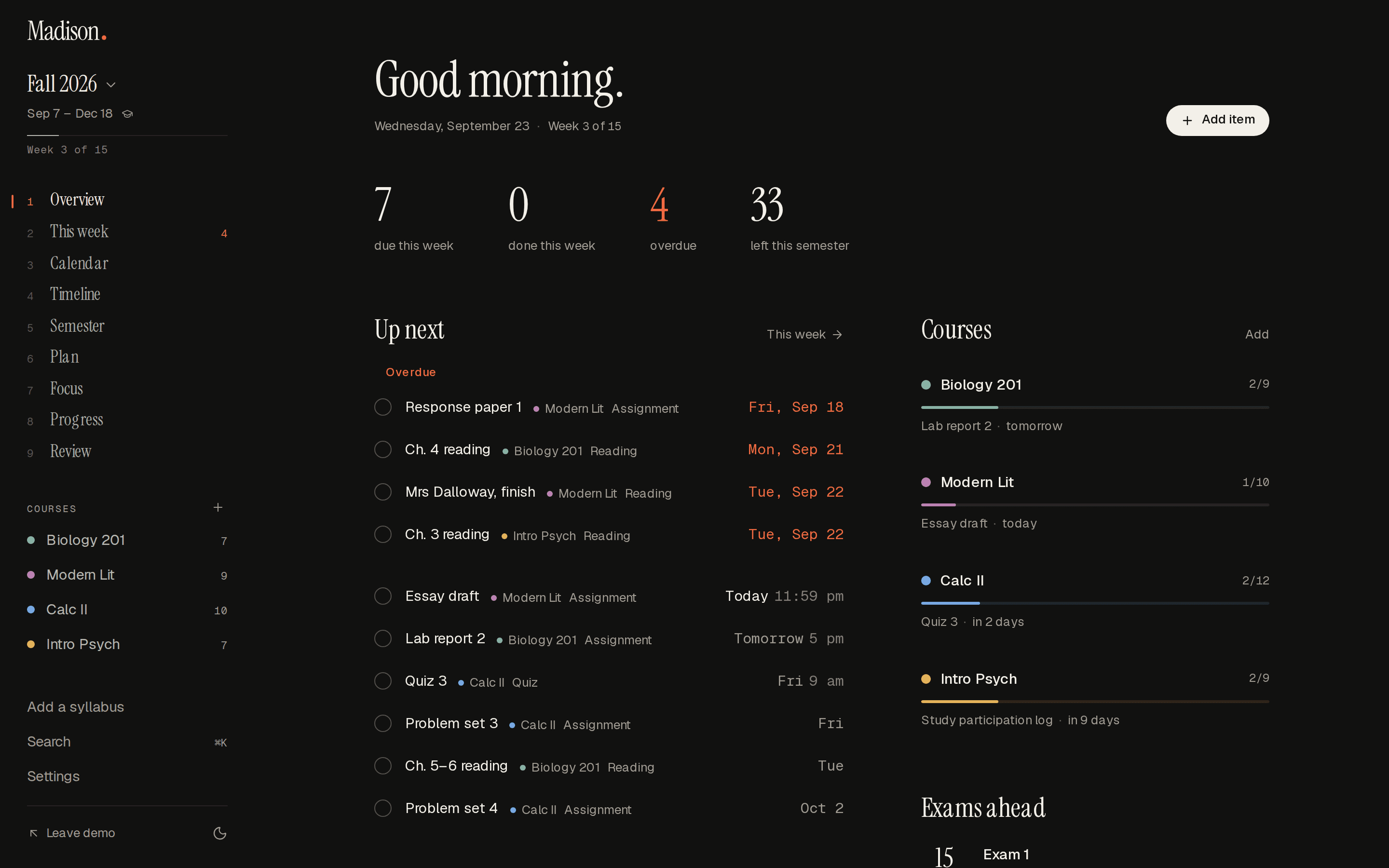
For students
A semester of courses: every reading, quiz, exam and paper on one page, what you need on the final, and a look that is yours.
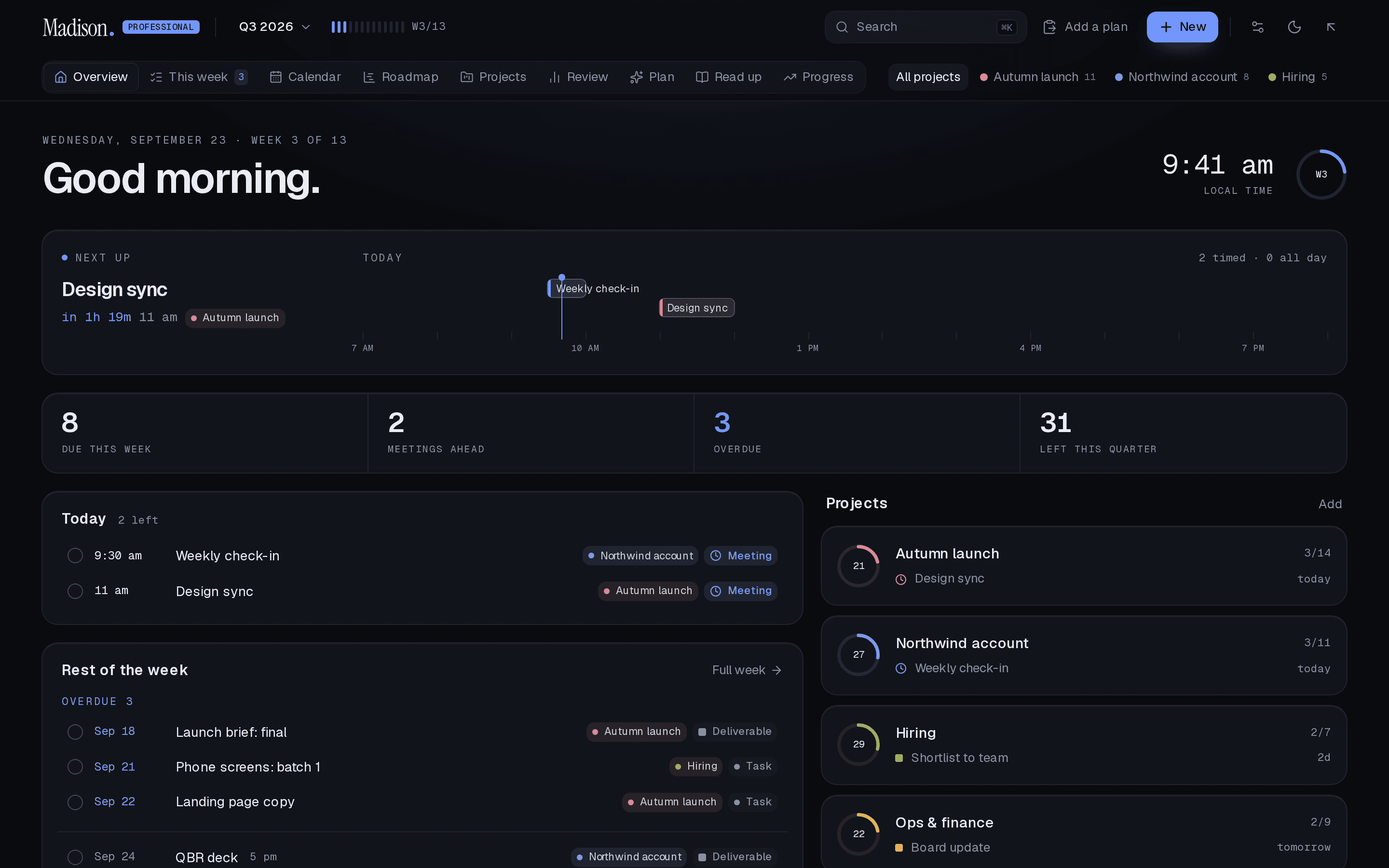
For professionals
A quarter of projects: the week as an agenda, a calendar with real hours, and the quarter as a roadmap.
Three rules the site and the product are both held to.
Sentence case, numerals, no exclamation marks, no emoji. Buttons are verbs. An empty state is one sentence and one action.
Every frame on this site is a real screenshot of the real planner, and the pieces that move on the page are the planner's own code.
Two products, one price each, nothing held back for a higher tier. Your plan exports any time, paid or not.
Madison launched on 14 September 2026 as a semester planner that could read a syllabus. Madison Professional followed the same week. Everything since, in the order it happened, is on the changelog.
Read the changelogA question, a syllabus it read wrong, a thing you wish it did. There is one address and a person reads it.
hello@madisonplanner.appDrop in the document you already have. It takes about a minute, and you can see the whole thing before you sign up for anything.
No card to start. Export any time.